

Automatic AI Colorization
No color notes or editing skills required. Upload a photo and AI estimates believable color from the people, clothing, lighting, and scene.
Upload an old family photo, remembrance portrait, wedding keepsake, or archive scan and let AI add natural color while preserving faces, expressions, and original photo texture. This workflow is built for historical and family-photo colorization, not stylized color effects. Free credits on signup, no watermark.
Enhance
Drag to compare
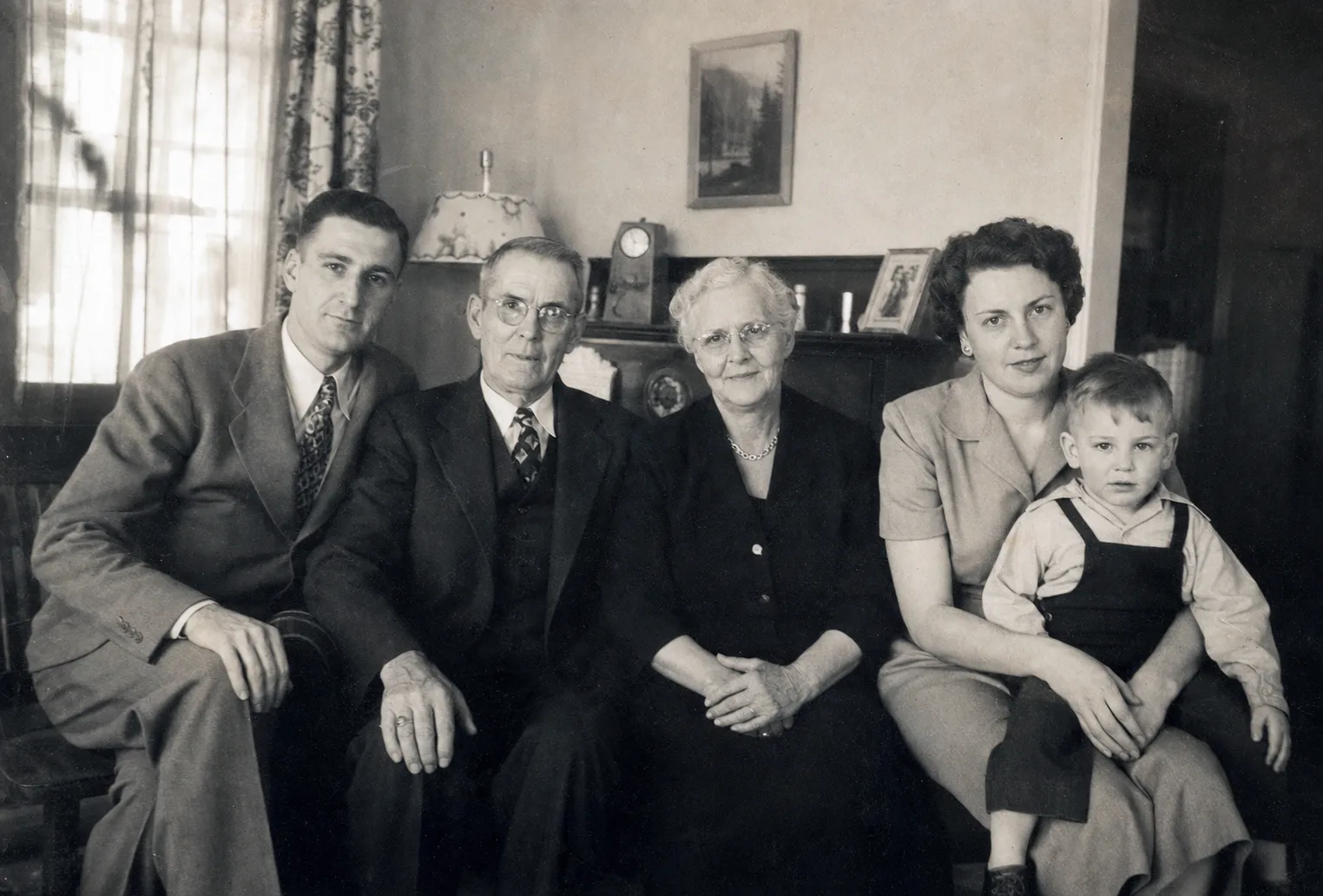
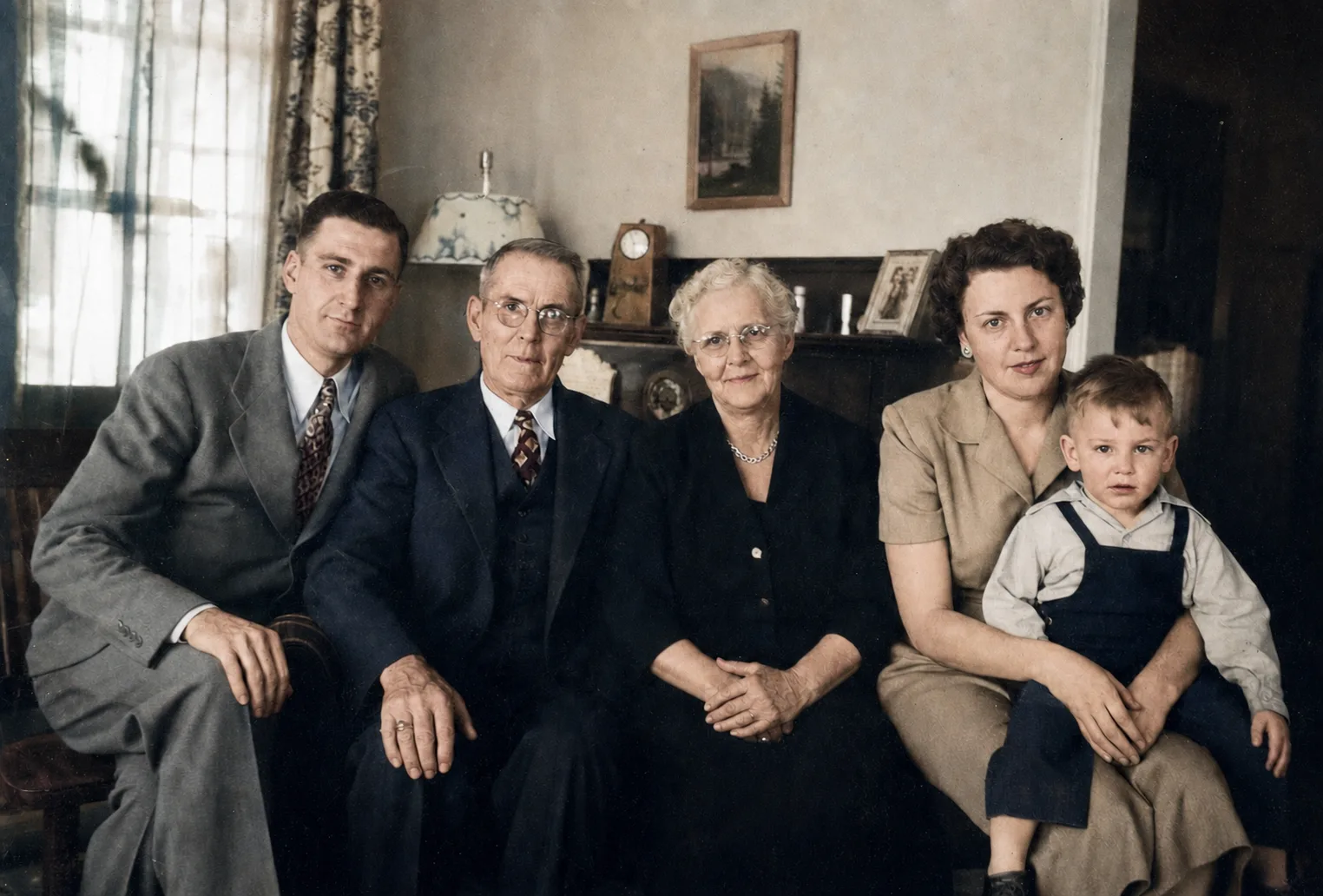
Automatic color for family albums, remembrance portraits, genealogy, and prints
No color notes or editing skills required. Upload a photo and AI estimates believable color from the people, clothing, lighting, and scene.
The workflow is tuned to avoid orange casts, gray skin, heavy saturation, and cartoon-like color.
Colorization should not replace identity. The workflow is tuned to preserve faces, expressions, wrinkles, and original detail.
Results aim to keep the grain, softness, and period feeling of the original image instead of making it look like a modern digital portrait.
Uploads are used to process your request. You can manage task history later, and customer photos are not used for model training.
Export full-resolution colorized photos without branding, ready for sharing, printing, framing, or family albums.
Give grandparents, parents, and ancestry portraits a natural color version for family albums, reunions, and heritage projects.
Colorize memorial portraits and photos of relatives with a careful, realistic style that keeps the person recognizable and the moment respectful.
Turn vintage wedding portraits, couple photos, and anniversary keepsakes into warm color versions for gifts, displays, and memory books.
Create plausible color interpretations for ancestry research, local history, and archive storytelling while keeping the original black-and-white scan.
Download full-resolution colorized photos without watermarks so they are ready for framed gifts, family books, and shared digital albums.
Upload one family, memorial, wedding, or archive photo. AI colors it automatically, then you download a watermark-free result.
Choose one clear black-and-white or faded photo. Portraits, family snapshots, wedding photos, and archive images all work well.
The workflow estimates skin, clothing, and background colors while preserving facial details, film grain, and the original photo character. If you know a dress, uniform, eye, car, wall, or background color, add a note to guide the result.
Compare before and after, then download the full-resolution image. If the photo is scratched, torn, or blurry, restore it first.
Yes. Upload a black-and-white or faded photo and AI applies color automatically. You do not need to choose colors, write prompts, or use Photoshop.
The workflow is tuned for natural-looking color, especially skin, clothing, and background tones. Results are color estimates, so they may not match the exact original colors.
The workflow is tuned to preserve identity, expressions, facial details, grain, and the original photo character. Very damaged photos should be restored first for the best result.
Not guaranteed. AI colorization creates a plausible historical color interpretation for family, memorial, and archive photos. Keep the original scan and avoid treating the result as exact history or a stylized effect.
Use Old Photo Restore first if the image has physical damage, missing areas, blur, or heavy fading. Then colorize the repaired version.
Upload the family photo and AI will add natural color while trying to preserve faces, skin tones, expressions, and old-photo texture. It works best when the black-and-white family photo is clear and already repaired.
Yes. This workflow is well suited for old wedding portraits, couple photos, and anniversary keepsakes. If you know the dress, suit, bouquet, wall, or background color, add a note to guide a more natural result.
Yes. Downloads are full resolution and watermark-free, so they can be used for framed gifts, family albums, memory books, and home printing.
Use a clear scan or phone capture with faces and important details visible. Low-resolution or heavily damaged photos may need restoration before colorization.